Topic: DMD0004
INIT - Initialize Data
The Initialize Data (INIT) instruction sets the value of each numeric or discrete element to the specified Value.
The Initialize Data instruction can have up to 50 rows, with each row containing one element, or one range of elements. If a range of elements is specified. All of the elements within that range will be set to the same specified Value.
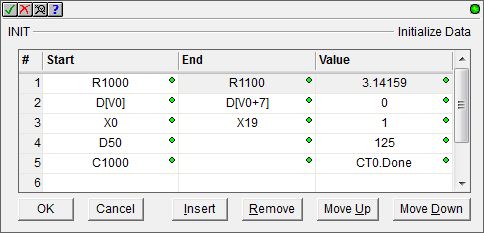
Row Editor Keys:
The following functions are used to add or remove rows, edit existing rows or reorganize the rows in the instruction.
Ok - closes the editor, saving any changes
Cancel - closes the editor, discarding any changes
Insert - inserts an empty row before the currently selected row
Remove - removes the currently selected row
Move Up - moves the currently selected row up one row
Move Down - moves the currently selected row down one row
Parameters:
Note: Use the F9 key (Element Browser) or Down-Arrow key (Auto-Complete) at any time to see a complete list of the memory locations that are valid in the current field of the instruction.
Start - identifies the writable element or the first writable element of the range.
End - (optional) identifies the last writable element of the range (leave this field blank if there is only one value be initialized).
Value - specifies the value
that each location in the range will be set to.
For numeric elements, this value can be any constant value of the appropriate size and type, or any readable numeric location.
For discrete elements, this value can be a value of 0 to set the point OFF, or a value of 1 to set the point ON.
Ladder Display:
The ladder display for the Initialize Data instruction will show all of the rows of the instruction.

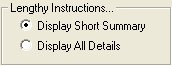 Note: By default, the Initialize Data instruction
will expand vertically to display all of the steps in the instruction.
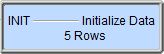
The displayed size of the instructions can be limited to a single line
that displays the total number of steps by setting the View-> Options->
Ladder Tab-> Lengthy Instructions... option to 'Display Short Summary'.
Note: By default, the Initialize Data instruction
will expand vertically to display all of the steps in the instruction.
The displayed size of the instructions can be limited to a single line
that displays the total number of steps by setting the View-> Options->
Ladder Tab-> Lengthy Instructions... option to 'Display Short Summary'.
See Also:
INIT - Initialize Data
Rung Example:
