Issue: When closing a Data View, sometimes the
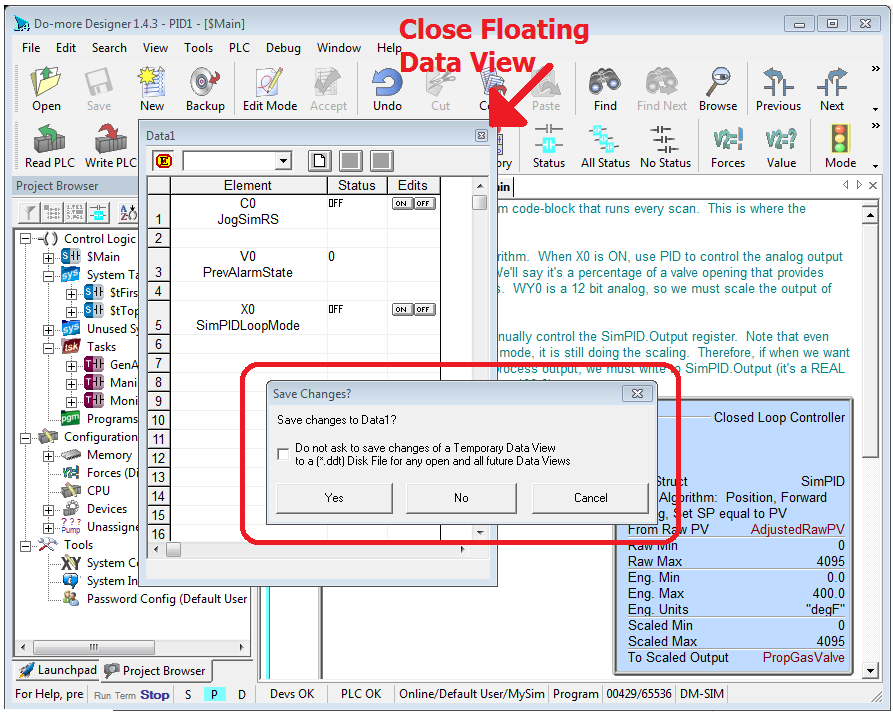
Save Changes confirmation dialog appears. A crash may occur after dismissing the
Save Changes confirmation dialog when closing a
floating Data View.
An example of this situation is shown below:
 There are two work-arounds.Work-around #1
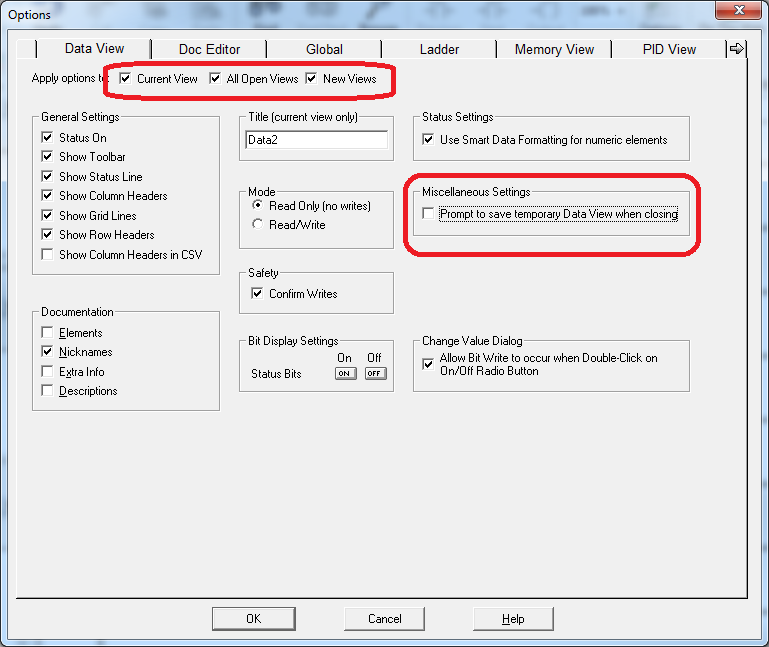
: Disable the Save Changes confirmation dialog. To disable this confirmation dialog
1. Right Click on a Data View and select
Options in the right-click menu OR bring up the Options dialog via the
View->Options menu, then click on the Data View tab of the Options dialog
2. In the
Apply Options to checkbox group, check as many as you can (especially New Views)
3. UNcheck the
Prompt to save tempoarary Data View when closing checkbox
4. Shut down all Designer sessions and re-start them
 Work-around #2
: Only use docked Data Views (not floating views).
Fix: This issue was fixed in Designer 2.0


 Topic: Known Criticial Issues as of April 24, 2019 (Read 24148 times)