Topic: DMD0182
SETUPSER - Setup Serial Port
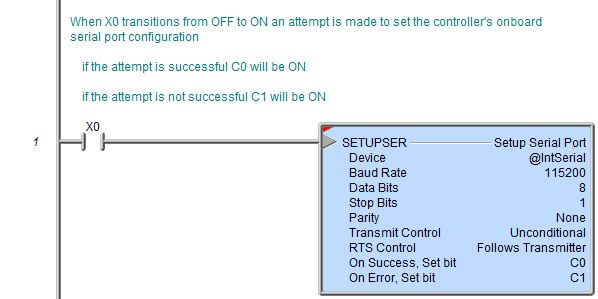
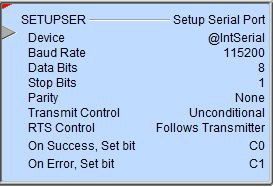
The Setup Serial Port (SETUPSER) instruction is used to configure the communication parameters of the onboard serial port of a Do-more controller and any of the ports on a SERIO module.

Parameters:
Note: Use the F9 key (Element Browser) or Down-Arrow key (Auto-Complete) at any time to see a complete list of the memory locations that are valid in the current field of the instruction.
Device
- selects which Serial Port device to configure
no devices available - indicates that there are no Devices that can execute this instruction. For more information on configuring the Devices go to the Help section on the System Configuration.
Baud Rate - selects one of the following baud rates:
1200
2400
4800
9600
19200
38400
57600
115200
Data Bits - selects one of the following data bit sizes
7
8
Stop Bits - selects one of the following stop bit sizes
1
2
Parity - selects one of the following parity bit options
none
odd
even
Transmit Control - selects when
data that appears in the port's receive buffer will be sent
Unconditional - data will be sent as soon as it appears in the port's send buffer
Wait for CTS - data will not be sent until the CTS line is asserted.
Note: selecting Wait for CTS and Follows Transmitter for RTS Control effectively sets up the serial port for 'hardware flow control'
Delayed 5ms - data will not be sent until 5 ms after the RTS line is asserted
Delayed 50ms - data will not be sent until 50 ms after the RTS line is asserted
Delayed 250ms - data will not be sent until 250 ms after the RTS line is asserted
Delayed 500ms - data will not be sent until 500 ms after the RTS line is asserted
Note: selecting any of the Delay options will force the RTS Control selection to Follow Transmitter because the port needs to have complete control of the RTS line.
RTS Control - selects how the
RTS line behaves
Follows Transmitter - the RTS line is asserted whenever there is data to be sent
Manual - puts the RTS line under control of the ladder logic program (use the DEVREAD - Read Device Register and DEVWRITE - Write Device Register instructions to manually control the RTS line)
On - unconditionally sets the RTS line ON
Off - unconditionally sets the RTS line OFF
On Success: - designates one of the following two options if the Setup Serial Port operation is successful:
SET BIT - The specific BIT location will be SET OFF when the Setup Serial Port (SETUPSER) instruction is first enabled, and then SET ON if the operation is successful. This value can be any writable bit location.
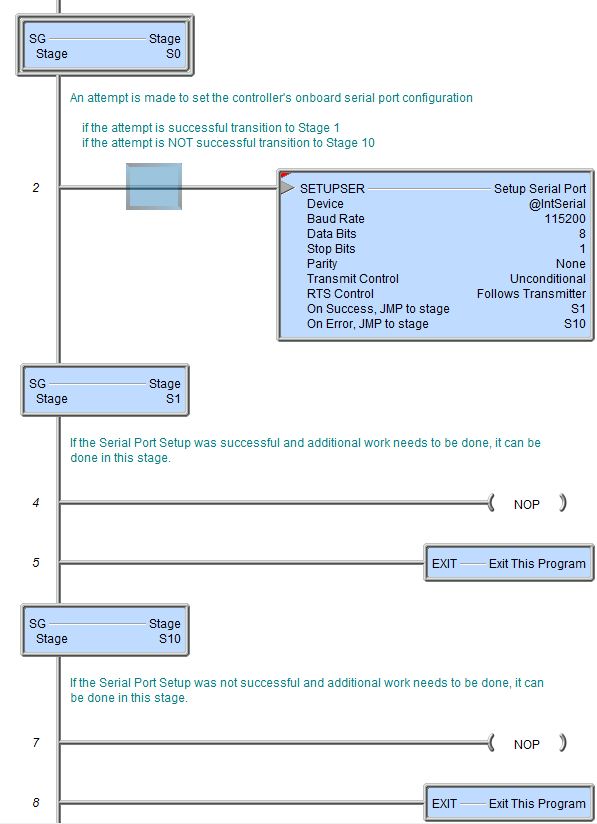
JMP to Stage - JMP to the specified Stage. The target Stage must be in the same Program as the Setup Serial Port (SETUPSER) instruction, you cannot specify a Stage in a different Program. This selection will function the same as a standalone Jump to Stage instruction. Click here for more information on the Jump To Stage instruction.
On Error: - designates one of
the following two options if the Setup Serial Port operation is unsuccessful:
SET BIT - The specific BIT location will be SET OFF when the Setup Serial Port (SETUPSER) instruction is first enabled, and then SET ON if the operation is unsuccessful. This value can be any writable bit location.
JMP to Stage - JMP to the specified Stage. The target Stage must be in the same Program as the Setup Serial Port (SETUPSER) instruction, you cannot specify a Stage in a different Program. This selection will function the same as a standalone Jump to Stage instruction. Click here for more information on the Jump To Stage instruction.
Status Display:
The red triangle in the upper left corner indicates the Setup Serial Port (SETUPSER) is a Red (Fully Asynchronous instruction.
The gray triangle at the right end of an input leg indicates the input
is edge
triggered
Example Using Stages:
Rung Example: