Topic: DMD0218
Ladder View Status
Runtime Ladder Status
Ladder views have the ability to display runtime status values for most of the parameters of the instructions in the code-blocks. Runtime Status can be enabled and disabled for the Ladder views through the Status buttons on the Online toolbar, or through the Debug menu selections.
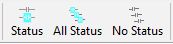
Status (Ctrl+Shft+S / Debug-> Status) - toggles status display ON / OFF only for the active view
All Status (Debug-> All Status ON) - turns status display ON for all opens views
No Status (Debug-> All Status OFF) - turns status display OFF for all opens views
 When runtime status is enabled for a Ladder view,
the parameter fields of the instructions will begin displaying the current
value for the parameters.
When runtime status is enabled for a Ladder view,
the parameter fields of the instructions will begin displaying the current
value for the parameters.
The parameter names are shown in small letters along the top of the status value fields, this allows both the field name and the value to be displayed concurrently.
The Status display will change the background color for Contacts that are ON.
For instructions that have associated structure memory, for example: Timers, Counters, Drums, etc., the Status display will add the additional status fields to the instruction.
 For instructions that have them, the Status display
will add a mini trend to the bottom of the instruction that will plot
the current status values.
For instructions that have them, the Status display
will add a mini trend to the bottom of the instruction that will plot
the current status values.
See Also:
Ladder View Status